
Download GS RichCopy 360 Enterprise – Enterprise‑Level Replication, Secure Cloud Sync & Fast File Transfer
Overview
GS RichCopy 360 Enterprise is a professional‑grade replication and backup solution built for medium‑to‑large businesses that demand reliability, speed, and airtight security. Designed with automation at its core, the platform eliminates manual copy‑and‑paste routines by providing real‑time synchronization, byte‑level delta replication, and intelligent bandwidth management. Whether you need to mirror critical data across a WAN, push archives to Azure or AWS, or safeguard sensitive files with 128‑/256‑bit AES encryption, GS RichCopy 360 Enterprise delivers a single‑pane‑of‑glass experience that scales with your organization’s growth.
Its flexible architecture supports both on‑premises storage arrays and leading public‑cloud providers, allowing IT teams to implement a hybrid strategy without compromising performance. The software’s intuitive UI, combined with 24/7 enterprise support, ensures that even complex migration projects can be executed quickly, securely, and with full auditability. In short, this tool turns data protection from a headache into a streamlined, automated workflow that fits seamlessly into any Windows‑centric enterprise environment.
Key Features & Capabilities
- Byte‑Level Replication: Transfers only the changed portions of a file, cutting copy times by up to 90 % for large datasets.
- Real‑Time Synchronization: Keeps source and destination folders perfectly in sync the moment a change occurs.
- Hybrid Cloud Support: Directly copy data to major cloud platforms (Azure Blob, Amazon S3, Google Cloud Storage) or any SFTP/SMB target.
- Dynamic Bandwidth Throttling: Automatically adjusts transfer size based on network conditions, ensuring business‑critical applications stay responsive.
- 128‑/256‑Bit AES Encryption: End‑to‑end encryption guarantees that confidential information remains unreadable in transit and at rest.
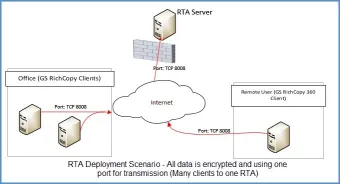
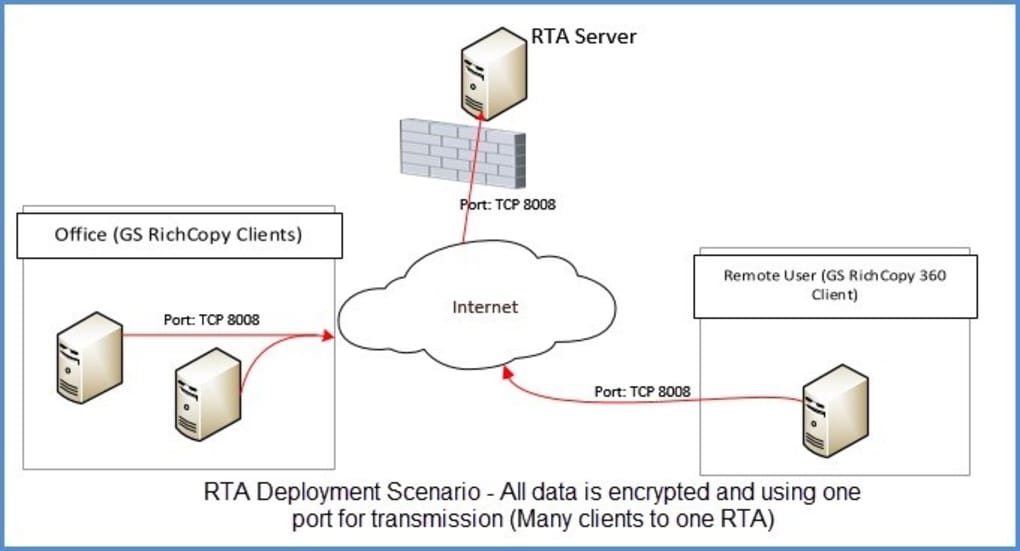
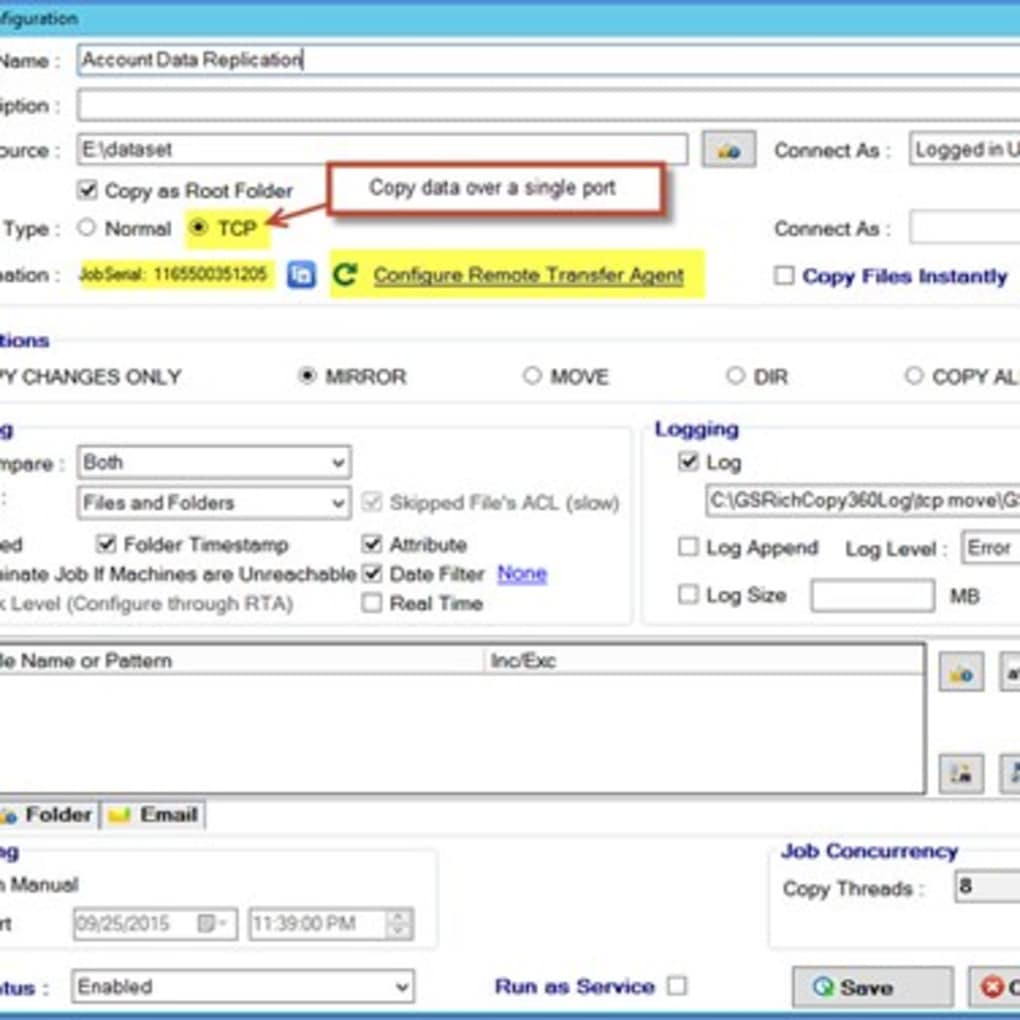
- Single‑Port Communication: Operates through one configurable port, simplifying firewall rules and remote access.
- Enterprise Scheduler & Automation: Create complex job chains, trigger actions on file events, and generate detailed logs for compliance.
- Robust Reporting & Auditing: Built‑in dashboards provide visibility into job status, error rates, and data throughput.
- Multi‑Threaded Engine: Leverages all available CPU cores to maximize throughput on high‑performance servers.
- Comprehensive Support: 24/7 phone, chat, and ticket‑based assistance, plus a dedicated account manager for Enterprise licenses.
Installation, Configuration & Everyday Use
Installing GS RichCopy 360 Enterprise is straightforward and follows a typical Windows‑installer workflow. After downloading the installer from the official website, run the .exe file with administrative privileges. The wizard guides you through license activation, which can be completed online or via an offline key file for air‑gapped environments. Once installed, the application registers a system service that runs in the background, enabling scheduled jobs to execute even when no user is logged on.
Initial Configuration: Launch the application and navigate to the “Settings” tab. Here you can define the default network port (the default is 9000), enable SSL/TLS for the control channel, and set global bandwidth caps. For enterprises with strict proxy requirements, the proxy settings can be entered under “Advanced → Network.” After saving the global preferences, you are ready to create your first replication job.
Creating a Job: Click “New Job,” then choose a template (e.g., “One‑Way Sync,” “Two‑Way Mirror,” or “Cloud Backup”). Specify the source path—whether a local drive, a mapped network share, or a cloud bucket—and the destination. The wizard offers a “Smart Filter” where you can include/exclude file types, set size thresholds, or define retention policies. In the “Performance” section, select the number of parallel threads (the default auto‑detects optimal values) and enable “Delta Transfer” to activate byte‑level replication.
Scheduling & Automation: Jobs can be triggered immediately, scheduled at specific times, or set to run based on file system events using the built‑in “File Watcher.” For complex workflows, you can chain multiple jobs together, ensuring that a successful backup to a local NAS is followed by a cloud archive. Email notifications and webhook integrations are also available, allowing IT teams to receive real‑time alerts in tools like Microsoft Teams or Slack.
Monitoring & Reporting: The “Dashboard” provides a live view of active transfers, bandwidth usage, and any errors that may have occurred. Detailed logs are stored in %ProgramData%\GS_RichCopy\Logs and can be exported in CSV format for compliance audits. The “Reports” module lets you generate daily, weekly, or monthly summaries that include total data moved, average throughput, and encryption status—useful for meeting internal security policies.
Compatibility, Pros & Cons
GS RichCopy 360 Enterprise is a Windows‑only application, officially supporting Windows Server 2012 R2, 2016, 2019, 2022, and Windows 10/11 (both 64‑bit). The software runs seamlessly on virtualized environments such as Hyper‑V, VMware ESXi, and Azure Virtual Machines. While there is no native macOS or Linux client, the tool can still be used to copy data to and from those platforms via SMB, NFS, or cloud endpoints.
Pros
- Extremely fast delta replication reduces network load.
- End‑to‑end AES encryption meets most regulatory requirements (GDPR, HIPAA, PCI‑DSS).
- Single‑port operation simplifies firewall configuration.
- Hybrid cloud support lets you store backups in any major public cloud.
- Rich automation features (scheduling, file‑watch triggers, job chaining).
- Detailed reporting and audit logs for compliance.
- 24/7 enterprise support with a dedicated account manager.
Cons
- Limited to Windows; no native macOS or Linux GUI.
- License cost is higher than basic consumer backup tools.
- Initial learning curve for advanced scheduling and scripting.
- Requires administrative rights for installation and some network configurations.
Frequently Asked Questions
Can GS RichCopy 360 Enterprise replicate data to multiple cloud providers at once?
Yes. You can create separate jobs that target Azure Blob, Amazon S3, Google Cloud Storage, or any SFTP/SMB endpoint. The software’s scheduler allows you to run these jobs sequentially or in parallel, giving you multi‑cloud redundancy without additional tools.
Is there a limit to the file size that can be synchronized?
There is no hard‑coded limit. The engine works with files larger than 10 TB, limited only by the underlying file system (NTFS, ReFS) and available storage on the destination.
How does the software handle network interruptions?
GS RichCopy 360 Enterprise automatically pauses transfers when a connection drops and resumes from the last successful byte once the network is restored. This resilience is built into the delta replication engine, preventing duplicate data transfer.
Can I encrypt data only during transit, or is at‑rest encryption also available?
The default 128/256‑bit AES encryption secures data both in transit and at rest when the destination supports encryption (e.g., encrypted Azure Blob containers). For on‑premises storage, you can enable BitLocker or other OS‑level encryption to complement the tool’s built‑in protection.
What kind of support is included with an Enterprise license?
Enterprise customers receive 24/7 phone, chat, and ticket support, a dedicated account manager, priority bug fixes, and access to a private knowledge base. On‑site assistance can be arranged for an additional fee.
Conclusion: Is GS RichCopy 360 Enterprise Right for Your Business?
For organizations that cannot afford downtime, data loss, or insecure transfers, GS RichCopy 360 Enterprise offers a compelling blend of speed, security, and automation. Its byte‑level delta replication dramatically reduces bandwidth consumption, while 256‑bit AES encryption keeps sensitive information safe both in motion and at rest. The single‑port design eases firewall management, and the extensive cloud connector library future‑proofs your backup strategy. Although the solution is Windows‑centric and carries a premium price tag, the ROI becomes evident when you consider the time saved on manual copies, the reduced risk of data breaches, and the peace of mind delivered by enterprise‑grade support.
If your business runs critical workloads on Windows servers, needs reliable WAN replication, or is moving toward a hybrid cloud architecture, downloading GS RichCopy 360 Enterprise today is a strategic move. Click the button below to start your free trial, evaluate the performance in your environment, and experience a truly secure, automated replication platform.
Download GS RichCopy 360 Enterprise – Start Free Trial






